React 19 and the New Face of Forms: Actions
My evaluation of React 19's form actions model against earlier approaches, including useOptimistic and why real-time validation does not fit the model.

React 19 shipped as a stable release at the end of 2024. One of its most concrete improvements is a rethink of form management. For years, writing forms in React meant either piling up useState calls with controlled component patterns or handing the whole thing off to an external library. React 19 brings a first-class solution to this space.
The form actions concept is built around the idea of binding a form submission directly to a function — an “action”. This approach makes even more sense when combined with React Server Components, but it works just fine on the client side alone.
Remembering Where We Came From
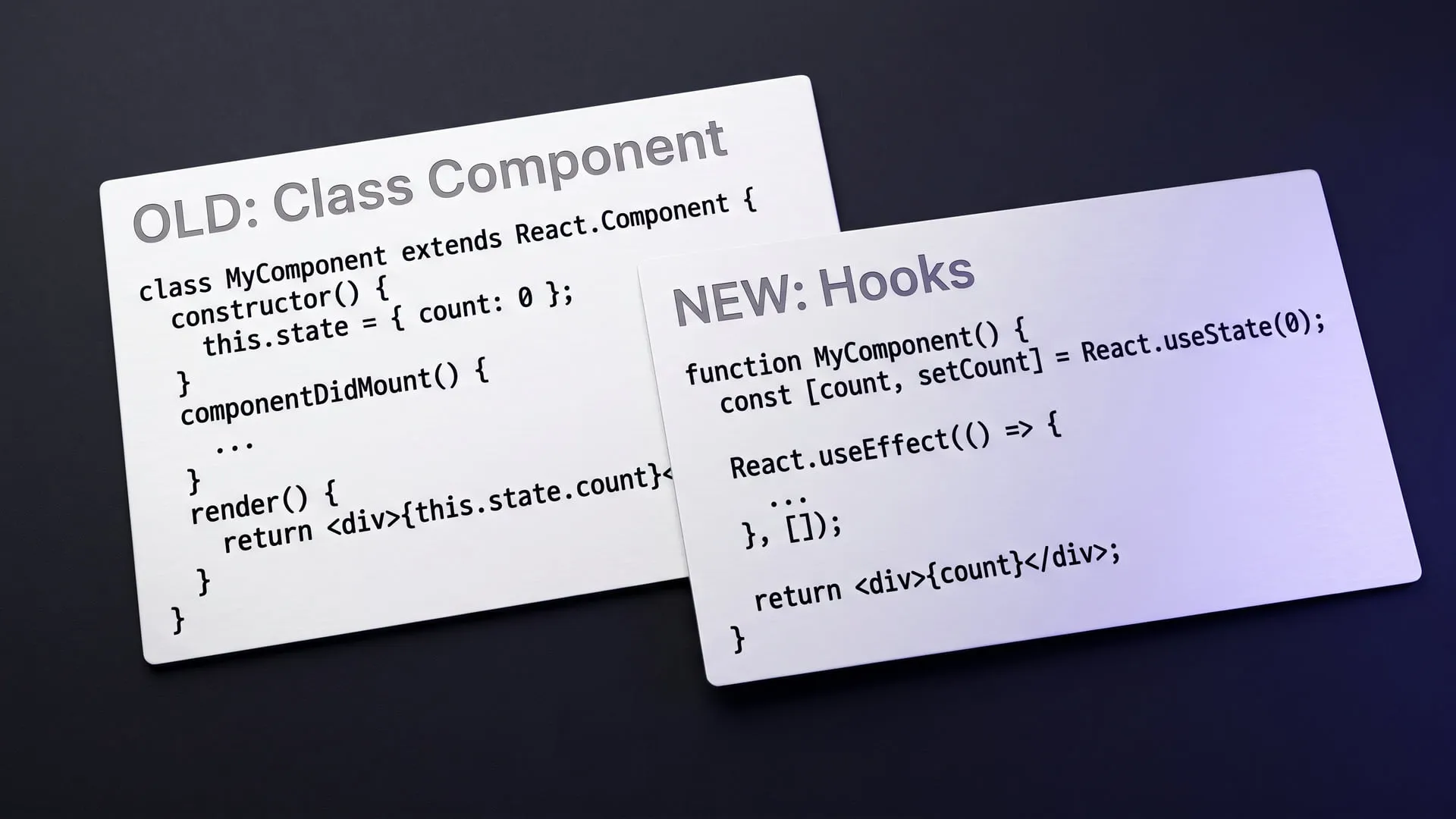
In React 18 and earlier, a simple form looked something like this:
function LoginForm() {
  const [email, setEmail] = useState('');
  const [password, setPassword] = useState('');
  const [error, setError] = useState(null);
  const [loading, setLoading] = useState(false);

  async function handleSubmit(e) {
    e.preventDefault();
    setLoading(true);
    setError(null);
    try {
      await login({ email, password });
    } catch (err) {
      setError(err.message);
    } finally {
      setLoading(false);
    }
  }

  return (
    <form onSubmit={handleSubmit}>
      <input value={email} onChange={e => setEmail(e.target.value)} />
      <input type="password" value={password} onChange={e => setPassword(e.target.value)} />
      {error && <p>{error}</p>}
      <button disabled={loading}>Sign In</button>
    </form>
  );
}
This code works. But repeating this pattern for every form gets tiresome. loading, error, and e.preventDefault() all get rewritten in every single form component.
The Action Approach in React 19
React 19 introduced useActionState and first-class support for the form action prop:
import { useActionState } from 'react';

async function loginAction(prevState, formData) {
  const email = formData.get('email');
  const password = formData.get('password');

  try {
    await login({ email, password });
    return { success: true };
  } catch (err) {
    return { error: err.message };
  }
}

function LoginForm() {
  const [state, dispatch, isPending] = useActionState(loginAction, null);

  return (
    <form action={dispatch}>
      <input name="email" type="email" />
      <input name="password" type="password" />
      {state?.error && <p>{state.error}</p>}
      <button disabled={isPending}>Sign In</button>
    </form>
  );
}
A few things are worth noting. The e.preventDefault() call is gone — the action prop handles that automatically. The loading state has become isPending. The number of useState calls has shrunk. Form data comes directly through the FormData API, so there’s no need to maintain separate state for each field.
Optimistic Updates with useOptimistic
Another addition in React 19 is the useOptimistic hook. It lets you update the UI before the server request completes, and roll back if the request fails:
function TodoList({ todos }) {
  const [optimisticTodos, addOptimistic] = useOptimistic(
    todos,
    (state, newTodo) => [...state, { ...newTodo, pending: true }]
  );

  async function addTodoAction(formData) {
    const title = formData.get('title');
    addOptimistic({ id: Date.now(), title });
    await saveTodo({ title });
  }

  return (
    <>
      {optimisticTodos.map(todo => (
        <li key={todo.id} style={{ opacity: todo.pending ? 0.5 : 1 }}>
          {todo.title}
        </li>
      ))}
      <form action={addTodoAction}>
        <input name="title" />
        <button>Add</button>
      </form>
    </>
  );
}
This approach gives the user immediate feedback in list-style UIs while completing the server call in the background. Previously, wiring up this optimistic update pattern by hand carried significant complexity.
Real-Time Validation Doesn’t Fit the Action Model
The action model is not the right choice for every form scenario. When you want to validate a field as the user types — say, instant feedback on an email format — you still need a controlled component with useState. FormData captures data at submit time, not during typing.
Similarly, dependent fields where one field’s value drives another field’s options don’t resolve cleanly in the action model. Scenarios like updating a district list when a city is selected still require holding state explicitly. So it’s too early to say “the action model replaces everything” — both models will continue to coexist, and the choice should be driven by the use case.
My Take
React 19’s form model is a genuine simplification. The controlled component pattern doesn’t disappear entirely — not every form use case maps to the action model. Scenarios like real-time validation or deeply interdependent fields may still require manual state management. But for standard submission flows, the new model is noticeably less noisy.
On the React Native side, version 0.78 ships Actions, useActionState and useOptimistic, but the <form> features belong to react-dom, so the form model described here is a web story. For web projects, there are solid reasons to favor this model when starting something new.
Having a framework standardize its form model also solves the quiet “everyone’s doing it differently” problem that accumulates in teams. That silent benefit shouldn’t be underestimated. When React Hook Form, Formik, and hand-rolled useState chains coexist in the same codebase, maintenance cost accrues invisibly — a shared model stops that accumulation.
One more thing worth mentioning: prevState, the first parameter of the action function you hand to useActionState, can be used to accumulate state across multiple submissions. In a multi-step form flow this is genuinely useful — you can carry the result of a previous step into the next one without needing an additional state manager. React baking this into the hook itself is a practical design decision.
Sources
- React v19 react.dev
- React Reference: form react.dev
Experiments on this topic

Tan Assistant: a desktop app that turns a meeting into notes from its audio and changing screen frames
An open-source desktop app in Rust and Tauri 2 records a meeting's audio and the screen frames that change, then writes a summary and action items.
What it does today
Records a meeting's microphone and system audio on separate tracks plus only the screen frames that change, then writes a note with a summary, decisions, action items and open questions. Anyone who wants meeting recordings turned into notes without keeping video can build it from source and try it.

A 4X that ends in one sitting: the constraint chose the scope
Build notes on a dice-free 4X core of 480 hexes and at most 60 turns, offline in the browser: a constraint chose the scope, and it shipped as Regnarium.
What it does today
Runs a full 4X match on a 480-hex map in at most 60 turns; rules, map generation and the opponent AI live in one pure TypeScript core, and combat rolls no dice. Anyone with half an hour and an appetite for strategy can open it in a browser.
Comments
Sign in with your GitHub account to join the discussion. Comments are stored in GitHub Discussions.