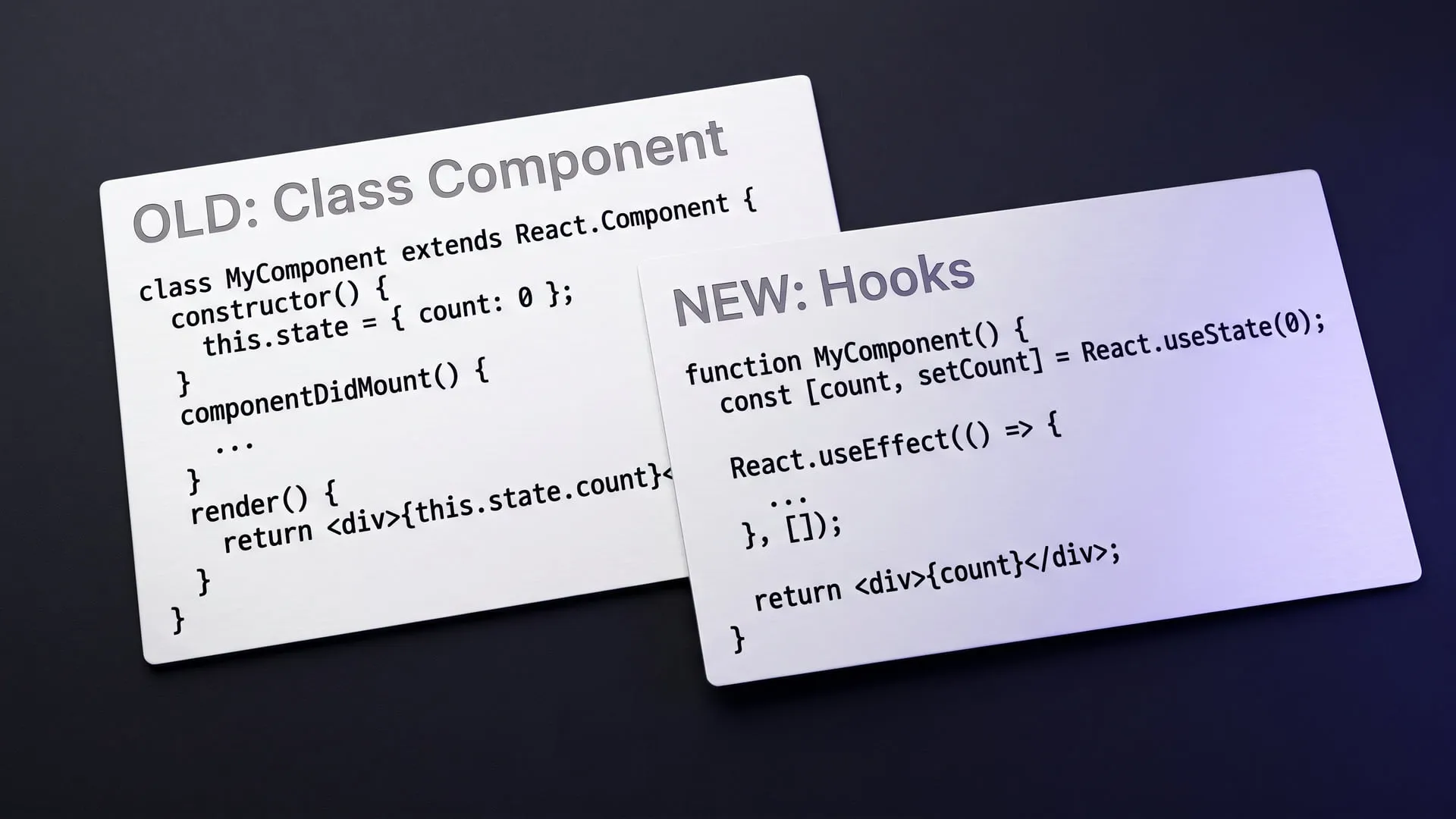
React 18 and Concurrent Rendering
How React 18's concurrent render model changes application behavior: createRoot, useTransition, automatic batching and the practical cost of upgrading.

Written 4 years ago — it reflects the conditions of that time.
React 18 shipped in March 2022. If you read the release notes, the term that comes up most often is “concurrent rendering.” But that phrase can conjure up a lot of different ideas — multithreading, async operations, something else entirely?
In this post I want to walk through what actually changed in React 18’s render model, how those changes show up in practice, and what you need to do about them.
What concurrent rendering actually means
In earlier versions of React, rendering was synchronous and uninterruptible. Once React started rendering a component tree it would not stop until it was done. For large updates that meant a real risk of freezing the UI: the user clicks something, but the response arrives hundreds of milliseconds later instead of a few.
Concurrent rendering makes the render process interruptible. React can break rendering into chunks and yield control back to the browser between them. If a more urgent update arrives — the user clicked something, typed a key — React can pause the work in progress, handle the urgent update first, and then resume.
One important clarification: this is not asynchronous JavaScript. JavaScript is still single-threaded. React uses its own internal scheduler to prioritize work and give the browser windows of opportunity to run between chunks.
The new render mode with createRoot
To opt in to React 18’s new capabilities you need to switch to the new root API:
// Old way (React 17)
import ReactDOM from 'react-dom';
ReactDOM.render(<App />, document.getElementById('root'));

// New way (React 18)
import { createRoot } from 'react-dom/client';
const root = createRoot(document.getElementById('root'));
root.render(<App />);
That single change is all it takes to unlock concurrent features for your application. Existing code continues to work as before.
useTransition: marking non-urgent updates
The most direct API for concurrent rendering is the useTransition hook. It lets you mark an update as “non-urgent”:
import { useState, useTransition } from 'react';

function SearchResults() {
    const [query, setQuery] = useState('');
    const [results, setResults] = useState([]);
    const [isPending, startTransition] = useTransition();

    function handleChange(e) {
        // Urgent: update the input value immediately
        setQuery(e.target.value);

        // Non-urgent: defer the results update
        startTransition(() => {
            setResults(filterResults(e.target.value));
        });
    }

    return (
        <>
            <input value={query} onChange={handleChange} />
            {isPending ? <span>Searching...</span> : null}
            <ResultList results={results} />
        </>
    );
}
Updates wrapped in startTransition can be deferred when more urgent updates arrive. If the user types quickly, a heavy list render that is still in progress does not block the next keystroke — React interrupts it, handles the input first, and then restarts the list render.
Automatic batching: the quiet but significant change
React 18 also expands the scope of automatic batching. In React 17, multiple setState calls inside event handlers were already batched into a single render. But in async code — setTimeout, Promise callbacks — each setState triggered its own render.
In React 18 that distinction is gone: state updates are batched automatically in all contexts.
// In React 18 this produces only a single render
setTimeout(() => {
    setCount(c => c + 1);
    setName('new name');
}, 1000);
For most applications this is a silent performance improvement. That said, it can produce unexpected behavior changes in certain codebases, so it is worth testing carefully.
The practical cost of upgrading
Migrating to React 18 is relatively low-effort even for large projects. The createRoot change is required; useTransition and the new Suspense patterns are opt-in and can be adopted incrementally as the need arises.
The one area that deserves attention: useEffect behavior changed in Strict Mode. In development, React 18’s Strict Mode intentionally runs an extra setup and cleanup cycle for every effect — to verify that effects are resilient to the mount/unmount cycle. You may see certain side effects behave unexpectedly in your test environment because of this.
React 18 makes a fundamental change to the render model, but it delivers that change gradually and as an opt-in. That is the right strategy for large applications with many components. Adopt what you are ready for, and move forward from there.
Sources
- React v18.0 react.dev
Experiments on this topic

Tan Assistant: a desktop app that turns a meeting into notes from its audio and changing screen frames
An open-source desktop app in Rust and Tauri 2 records a meeting's audio and the screen frames that change, then writes a summary and action items.
What it does today
Records a meeting's microphone and system audio on separate tracks plus only the screen frames that change, then writes a note with a summary, decisions, action items and open questions. Anyone who wants meeting recordings turned into notes without keeping video can build it from source and try it.

A 4X that ends in one sitting: the constraint chose the scope
Build notes on a dice-free 4X core of 480 hexes and at most 60 turns, offline in the browser: a constraint chose the scope, and it shipped as Regnarium.
What it does today
Runs a full 4X match on a 480-hex map in at most 60 turns; rules, map generation and the opponent AI live in one pure TypeScript core, and combat rolls no dice. Anyone with half an hour and an appetite for strategy can open it in a browser.
Comments
Sign in with your GitHub account to join the discussion. Comments are stored in GitHub Discussions.